
Buying a second-hand laptop in 2026 can save you a lot of money — if you know what you’re doing.
With laptop prices still high and new models offering only small upgrades, many people in India are now searching for used and refurbished laptops for:
- Online classes
- Office & work-from-home
- Coding, editing, and freelancing
- Budget gaming
But here’s the problem:
Most buyers check only price and processor name — and that’s exactly how they get stuck with a bad laptop.
This guide gives you a real-world, practical checklist of what to check before buying a second-hand or refurbished laptop in 2026, especially in the Indian market.
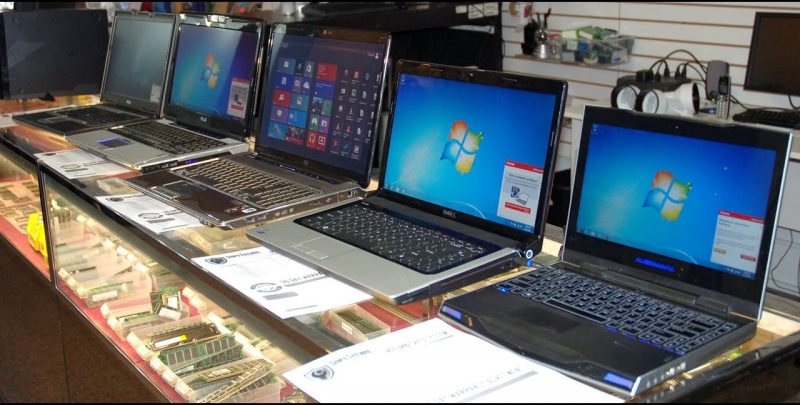
Why Checking a Used Laptop Matters More in 2026
In 2026, many laptops available in the used market are 5–7 years old. Some are excellent deals, while others are simply outdated machines being resold smartly.
A laptop may:
- Look clean from outside
- Turn on normally
- Feel fast for 5 minutes
…but still have hidden issues that show up after a week.
That’s why this checklist exists.
1. Physical Condition: First Impression Matters
Start with a full body inspection.
Check for:
- Cracks on body or corners
- Loose or broken hinges
- Bent USB / HDMI ports
- Touchpad wobble
Scratches are normal in used laptops.
But cracks, broken hinges, or loose ports = trouble later.
👉 Pro tip:
Open the lid halfway and gently move it. If the screen shakes too much, hinge repair may be needed.
2. Display Check (Very Important & Expensive to Fix)
Display replacement is costly in 2026, especially for IPS or high-resolution panels.
Look carefully for:
- Dead pixels (black dots)
- Bright white spots
- Yellowish or pink patches
- Screen flickering
- Vertical or horizontal lines
Quick test:
- Open a white screen
- Increase brightness to max
- Tilt the screen slightly
If defects are visible without effort, avoid the laptop or reduce the price heavily.
3. Battery Health (Most Common Hidden Issue)
Battery is the most ignored part when buying a used laptop.
Safe battery condition in 2026:
- 70–80% health or above
- At least 2 hours backup for normal use
How to check:
- Windows:
powercfg /batteryreport - Mac:
Battery Health in system settings
If battery backup is poor:
- Ask if battery is replaced
- Ask cost of replacement
- Decide if price still makes sense
At A2Z Computech, battery health is checked before selling, which helps buyers avoid unexpected expenses.
4. Processor Generation (Not Just “i5” or “i7”)
This is where many Indian buyers get fooled.
❌ “Core i7 laptop cheap”
✅ Always check generation
In 2026, minimum recommendation:
- Intel: 8th Gen or newer
- AMD: Ryzen 5 (3000 series or above)
Example:
- i5 10th Gen > i7 4th Gen (in real usage)
Check CPU by:
- Right-click → This PC → Properties
- Task Manager → Performance → CPU
5. RAM & Upgrade Possibility
Minimum RAM in 2026:
- 8GB (absolute minimum)
- 16GB recommended for multitasking
But more important:
- Is RAM upgradeable?
Some slim laptops have soldered RAM. Once you’re stuck, you’re stuck.
👉 Always ask:
- Total RAM slots?
- Is RAM soldered or replaceable?
6. Storage Type & Health (SSD is Mandatory)
In 2026, HDD laptops should be avoided, even if cheap.
What to check:
- SSD only (NVMe preferred)
- Minimum 256GB
- SSD health (important!)
You can use tools like:
- CrystalDiskInfo (Windows)
If SSD health is below 80%, negotiate or ask for replacement.
7. Keyboard & Touchpad Test (Don’t Skip)
Type properly — don’t just press 2–3 keys.
Check:
- All keys working?
- Backlight working (if available)?
- Touchpad smooth and responsive?
- Left & right click working?
Business laptops like ThinkPad and Dell Latitude usually perform better here.
8. Ports, Webcam & Speakers
Test everything, even if you think you won’t use it.
Check:
- USB ports (all)
- HDMI / Type-C
- Headphone jack
- Webcam
- Microphone
- Speakers
Many used laptops fail at webcam or audio, which matters for meetings and classes.
9. Heating & Fan Noise
Overheating laptops become unusable in Indian weather.
How to test:
- Use laptop for 15–20 minutes
- Open browser + YouTube
- Check fan noise
- Feel heat near keyboard
Excessive heat or loud fan = possible dust or thermal issues.
10. Windows Activation & Software
Make sure:
- Windows is genuine and activated
- No unknown admin accounts
- Laptop is reset properly
Avoid laptops with:
- Cracked Windows
- Suspicious software
- Locked BIOS
11. Warranty & Seller Trust (Very Important)
A warranty doesn’t mean brand warranty — even 1–3 months seller warranty is valuable.
Prefer sellers who:
- Test laptops
- Provide invoice
- Offer basic warranty
- Give after-sales support
That’s why many buyers prefer trusted stores like A2Z Computech over random OLX deals.
Final Checklist Summary (Quick View)
✔ Intel 8th Gen+ / Ryzen 5+
✔ 8GB RAM minimum
✔ SSD only
✔ Good battery health
✔ Clean display
✔ Working keyboard & ports
✔ Genuine Windows
✔ Seller warranty
Final Advice for 2026 Buyers
If a deal looks too cheap, it usually has a catch.
Take your time, ask questions, and never rush a used laptop purchase. A properly checked second-hand laptop can easily last 3–4 more years.