
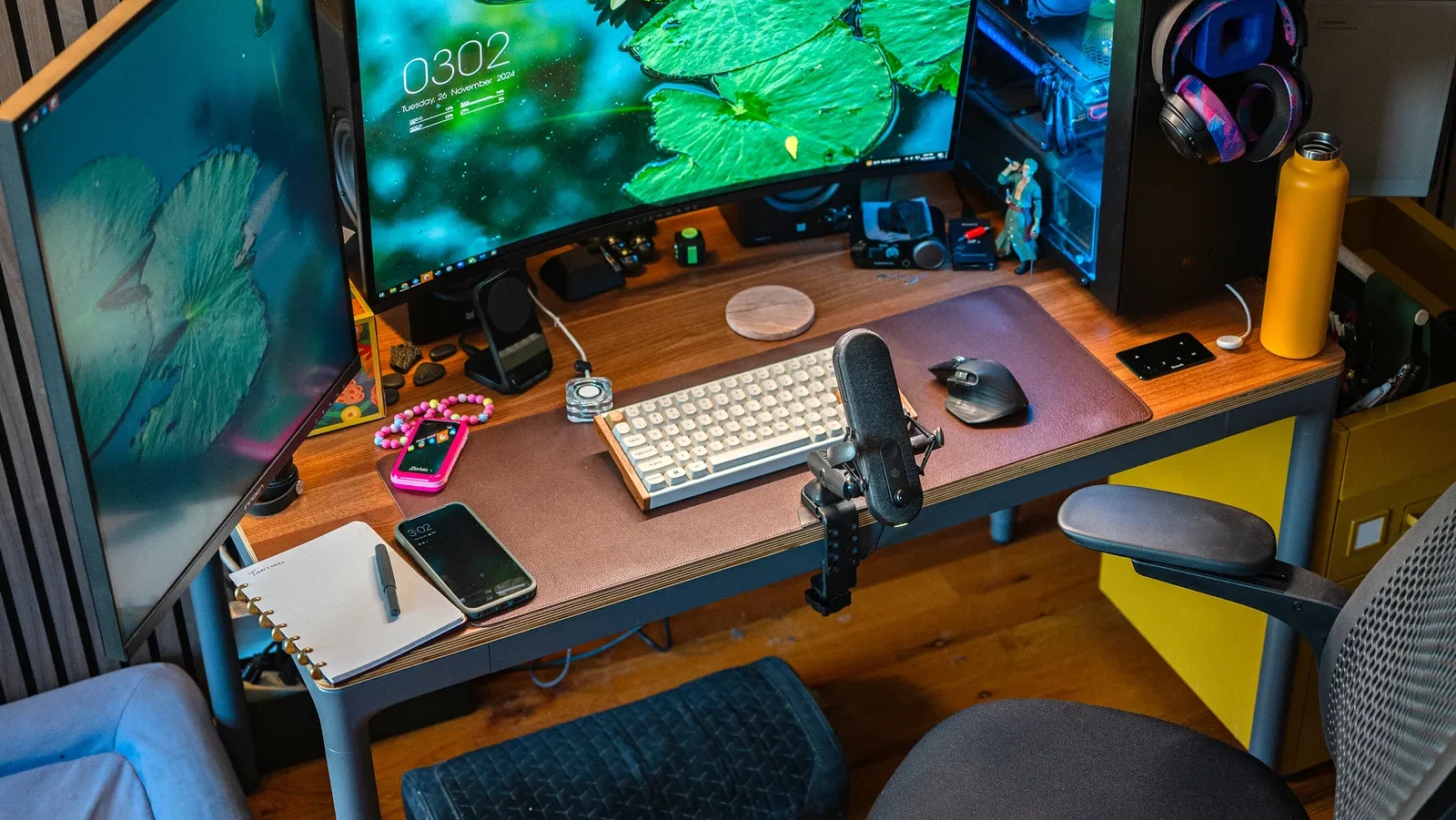
In 2026, your setup defines your productivity.
Whether you’re:
- A student preparing for exams
- A freelancer working from home
- A content creator
👉 Your desk setup directly affects your focus, energy, and performance.
Most people ignore this and struggle with:
❌ Distractions
❌ Low productivity
❌ Poor posture
❌ Eye strain
The truth is:
👉 A well-designed desk setup can double your productivity.
In this guide, you’ll learn how to create the perfect study & work setup step-by-step.
Why Your Setup Matters More Than You Think
Your environment controls:
- Focus
- Mood
- Efficiency
A messy, uncomfortable desk = slow brain.
A clean, optimized setup = sharp focus.
👉 This is why top students and creators invest in their setup.
1. Choose the Right Desk
Your desk is your foundation.
✔ Enough space for laptop/PC
✔ Clean surface
✔ Comfortable height
Ideal Setup:
- Minimal clutter
- Organized layout
- Enough leg space
👉 Avoid small, cramped desks.
2. Comfortable Chair = Better Focus
Many people ignore this.
Bad chair =
❌ Back pain
❌ Poor posture
❌ Low focus
What to Look For:
✔ Back support
✔ Adjustable height
✔ Comfortable cushioning
3. Proper Lighting (Game Changer)
Lighting affects:
- Eye strain
- Focus
- Energy
Best Setup:
✔ Natural light (daytime)
✔ Desk lamp (night)
✔ Avoid harsh lighting
👉 Good lighting = longer study sessions without fatigue.
4. Clean & Minimal Setup
Clutter kills productivity.
Rule:
👉 “Only keep what you use daily”
Benefits:
✔ Less distraction
✔ Better focus
✔ Cleaner mindset
5. Monitor or Laptop Position
Wrong screen position causes:
- Neck pain
- Eye strain
Fix:
✔ Screen at eye level
✔ Proper distance
✔ Use stand if needed
6. Essential Gadgets for Productivity
Here are must-have items:
✔ Laptop or PC
✔ Keyboard & mouse
✔ Desk lamp
✔ Headphones
Optional (but powerful):
✔ External monitor
✔ Tablet
✔ Smart clock
7. Cable Management (Underrated)
Messy cables = messy brain.
Fix:
✔ Use cable organizers
✔ Keep wires hidden
👉 Clean desk = clean focus.
8. Add a Personal Touch
Your setup should inspire you.
Ideas:
✔ Small plant
✔ Motivational quote
✔ Minimal decor
👉 Don’t overdo it — keep it clean.
9. Reduce Distractions
Biggest productivity killer.
Common distractions:
- Phone
- Notifications
- Social media
Fix:
✔ Keep phone away
✔ Use focus mode
✔ Use apps to block distractions
10. Internet & Tech Setup
A slow system = slow work.
Ensure:
✔ Fast internet
✔ Smooth PC performance
✔ Updated software
👉 Your tech should support your work, not slow it down.
Ideal Setup for Students vs Creators
Students
✔ Minimal desk
✔ Good lighting
✔ Comfortable chair
Creators / Freelancers
✔ Dual monitor
✔ Powerful PC
✔ Better lighting setup
Daily Setup Habits
To maintain productivity:
✔ Clean desk daily
✔ Keep essentials ready
✔ Avoid clutter buildup
Common Mistakes to Avoid
❌ Over-decorating
❌ Poor lighting
❌ Cheap chair
❌ Cluttered desk
Expert Advice
A good setup is an investment.
At A2Z Computech, you can:
- Build a powerful PC setup
- Upgrade your system
- Get expert advice
- Create a productivity-focused workspace
👉 Right setup = better results.
Related Articles
- https://a2zcomputech.com/pre-built-pc-or-custom-pc-which-is-better-in-2025/
- https://a2zcomputech.com/best-graphics-card-gaming-2025/
- https://a2zcomputech.com/amd-vs-intel-which-one-should-you-choose-2025/
Final Verdict
Your setup is not just a desk.
👉 It’s your productivity system.
A well-designed setup can:
✔ Improve focus
✔ Increase efficiency
✔ Reduce stress
✔ Boost performance
Want to build the perfect setup?
Visit A2Z Computech today and get expert help to create a powerful, productive workspace.
Work smarter. Study better. Win more.