
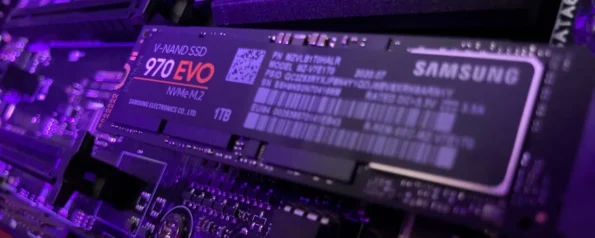
Why SSD Is a Must for Every PC in 2026 | Speed & Gaming Benefits
If your computer feels slow, takes too long to start, or freezes while opening applications, the issue might not be your processor or RAM — it could be your storage.
Many older PCs still use traditional HDD (Hard Disk Drive) storage, which is significantly slower compared to modern SSD (Solid State Drive) technology.
In 2026, upgrading to an SSD is one of the best and most affordable upgrades you can make to improve your PC’s performance.
Whether you use your computer for gaming, office work, editing, or everyday tasks, an SSD can dramatically improve speed and responsiveness.
In this guide, we’ll explain:
- What an SSD is
- Why SSDs are faster than HDDs
- How SSDs improve gaming and productivity
- Which SSD type you should choose
What Is an SSD?
An SSD (Solid State Drive) is a storage device that stores data using flash memory chips instead of spinning disks like traditional hard drives.
Because SSDs have no moving mechanical parts, they provide significantly faster data access and improved reliability.
This technology allows computers to load files, applications, and operating systems much faster than HDD-based systems.
Today, almost every modern gaming PC, laptop, and workstation uses SSD storage as the primary drive.
SSD vs HDD: Key Differences
| Feature | HDD | SSD |
|---|---|---|
| Boot Time | 40–90 seconds | 5–15 seconds |
| Data Speed | 100–150 MB/s | 500–7000 MB/s |
| Noise | Mechanical spinning sound | Completely silent |
| Durability | Moving parts | No moving parts |
| Power Consumption | Higher | Lower |
| Performance | Slower | Extremely fast |
The speed difference between HDD and SSD can be 5 to 20 times faster depending on the type of SSD used.
That’s why upgrading from HDD to SSD can instantly make an older computer feel much faster.
Benefits of Using an SSD
1. Much Faster Boot Times
One of the most noticeable improvements with an SSD is faster startup time.
With traditional HDD storage, Windows can take up to a minute or more to boot.
With an SSD, most systems start in 10–15 seconds.
This saves time every day and makes your system feel more responsive.
2. Faster Game Loading
Modern games contain large textures, maps, and assets that must load quickly.
Using an SSD can significantly reduce loading times in games such as:
- GTA V
- Call of Duty Warzone
- Red Dead Redemption 2
- Cyberpunk 2077
Open-world games especially benefit from SSD storage because data loads continuously while playing.
Many modern games now recommend installing the game on an SSD for the best experience.
3. Better Overall System Performance
SSDs improve everyday computer tasks such as:
- Opening applications
- Installing software
- Copying files
- Multitasking
- Video editing
Even older computers with moderate processors can feel much faster after switching to SSD storage.
4. Improved Reliability
Because HDDs rely on spinning mechanical parts, they are more vulnerable to damage.
SSDs contain no moving parts, making them:
- More durable
- Less prone to physical failure
- Better for laptops and portable devices
This increases the long-term reliability of your system.
Types of SSDs Available in 2026
Understanding the different SSD types can help you choose the right option for your system.
SATA SSD
SATA SSDs are the most common and affordable upgrade option.
Typical speeds: 500–600 MB/s
Best for:
- Older desktops
- Laptop upgrades
- Budget systems
They are significantly faster than HDDs and are a great upgrade for older computers.
NVMe SSD
NVMe SSDs are much faster because they connect directly to the motherboard through PCIe slots.
Typical speeds: 2000–7000 MB/s
Best for:
- Gaming PCs
- High-performance systems
- Video editing
- Professional workloads
NVMe drives offer extremely fast read and write speeds, making them ideal for modern systems.
Recommended SSD Storage Size
Choosing the right storage size depends on how you use your computer.
| Usage | Recommended Storage |
|---|---|
| Basic use / Office work | 512GB |
| Gaming | 1TB |
| Content creation | 2TB or more |
Many users combine:
- SSD for Windows and applications
- HDD for large file storage
This setup balances speed and storage capacity.
Where to Buy Genuine SSDs
When upgrading your PC storage, it’s important to buy original products with warranty support.
At A2Z Computech, customers can find a wide range of genuine PC components including SSDs suitable for gaming, office use, and professional systems.
Their experts can also help you choose the right SSD compatible with your motherboard or laptop.
You can also explore helpful guides like:
- https://a2zcomputech.com/pre-built-pc-or-custom-pc-which-is-better-in-2025/
- https://a2zcomputech.com/best-graphics-card-gaming-2025/
- https://a2zcomputech.com/amd-vs-intel-which-one-should-you-choose-2025/
These guides explain how to choose the right components for your PC.
Final Thoughts
In 2026, upgrading to an SSD is one of the most effective ways to improve computer performance.
Compared to traditional HDD storage, SSDs provide:
- Faster boot times
- Faster game loading
- Improved multitasking
- Greater reliability
- Better overall user experience
If your PC still runs on an HDD, installing an SSD can instantly transform the way your computer performs.
For reliable PC upgrades and genuine components, many users trust A2Z Computech for expert advice and quality hardware solutions.